Step 1
Upload an Image
Drag and drop the image from which you want to remove the background. Whether this image has a solid color background, a gradient background, or a complex patterned background, we can work on it!
New imglarger released, try new Enlarger / Enhancer / Upscaler with better performance.
AI Background Remover allows you to instantly remove backgrounds from images with pixel-perfect accuracy, creating transparent backgrounds while maintaining the subject's original quality.
Drag & drop images here
or click to browse
JPG, PNG, WEBP · up to 10 MB per file · max input 1024px
Follow these simple steps to remove your images background with Imglarger.
Drag and drop the image from which you want to remove the background. Whether this image has a solid color background, a gradient background, or a complex patterned background, we can work on it!
Click the 'Upload and Start' button to begin the background removal process. Our bg remover will precisely cut out the background from the image while keeping the main subject intact.
Once the background is removed, preview the result to ensure it's accurate. You can then do further editing with our editing tools or download the image with a transparent background.
Easily remove backgrounds with the AI Background Remover. Create transparent images instantly, perfect for e-commerce, social media, presentations, and more, with just a few clicks.
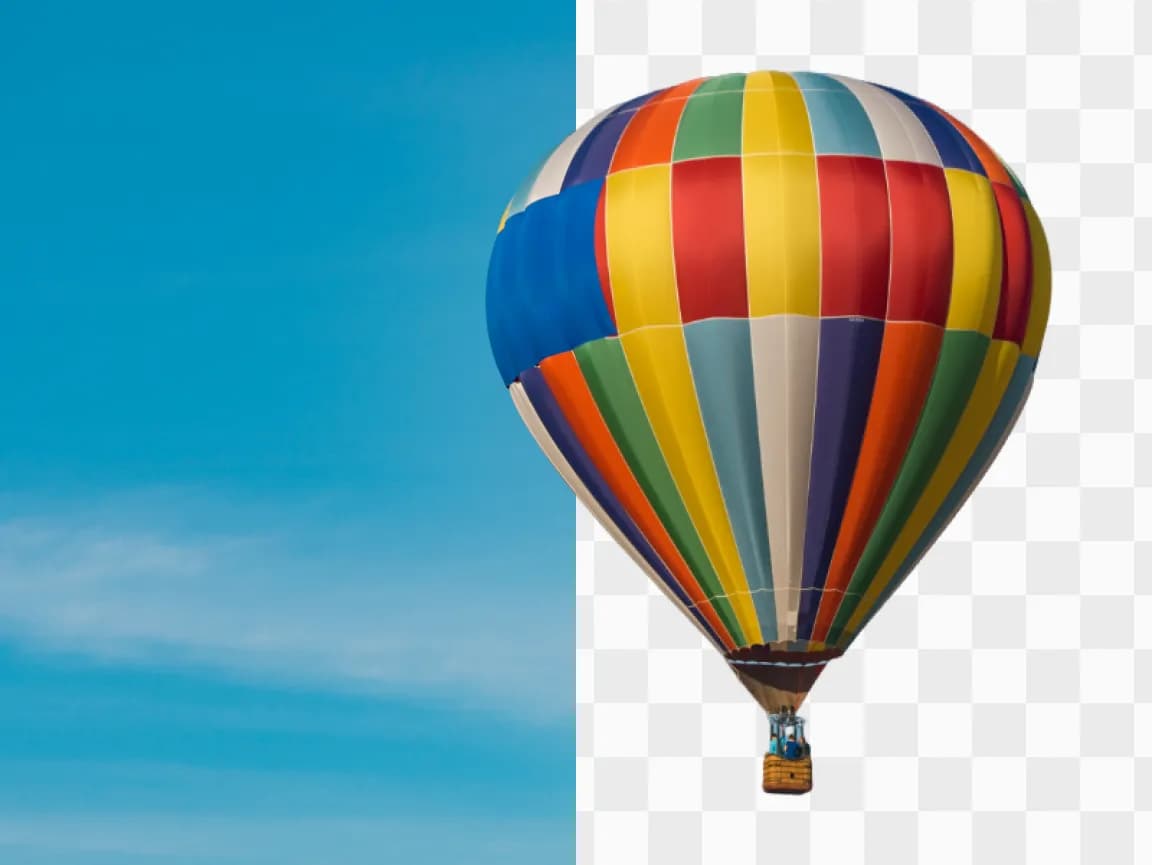

Our online AI background Remover delivers high-quality, clean background removals. Achieve a seamless, transparent background in seconds with no manual work required.
Boost image quality with AI-powered tools that enhance clarity, sharpness, and resolution in seconds.
Increase image resolution up to 8K while maintaining exceptional quality with AI-based upscaling technology.
Enhance multiple images at once with batch processing to save time and improve productivity effortlessly.
Use AI to automatically remove image backgrounds in one click, making image editing simple and fast.
All uploaded and processed images will be cleared after 6 hours. No data is stored or shared with third parties.
Start using AI tools for free without any sign-ups or restrictions, and enhance your images instantly.
Get Answers to Your Questions About Imglarger
AI background remover uses artificial intelligence to automatically detect and remove the background from an image, leaving only the main subject. This tool is ideal for creating transparent backgrounds or isolating objects.
To remove the background, upload your image to Imglarger's AI Background Remover tool. The AI will automatically detect and cut out the background. You can then download the image with a transparent background or replace it with a new background.
Yes, Imglarger's AI background remover works with various image types, including portraits, product photos, and other graphics. It efficiently removes backgrounds from a wide range of images.
No, using Imglarger's AI background remover maintains the original quality of your image. The tool ensures that the main subject remains sharp and clear while removing the background.
Yes, Imglarger offers a free AI background remover tool. With it, you can easily remove the background from your images and download them with a transparent background at no cost.
Removing the background with Imglarger's AI tool is quick and efficient. The process typically takes a few seconds, allowing you to get a clean, transparent background almost instantly.